- Application
- Head-mounted visual field testing (perimetry)
- Clinical Domain
- Vision diagnostics, including glaucoma diagnosis and staging
- Relevant For
- Device makers, Solution builders, and Researchers
- Platform Layers
- Ocunur headset, eye tracking, display and luminance calibration, response controller, SDK, and IntelliMDM
- Perimetry Interface
- Open Perimetry Interface (OPI) with ZEST, QUEST+, and 4-2 staircase support
Abstract
Visual field testing is a core diagnostic in eye care, used to detect and stage glaucoma and to assess other conditions that affect the visual pathway. Delivering it in a head-mounted format requires calibrated stimulus luminance, precise timing, objective fixation monitoring, reliable patient response capture, and consistent operation across every device in a fleet. This use case describes how the IntelliXR® platform meets each of these requirements, from per-device luminance calibration at the headset to consistent configuration across sites through IntelliMDM.
Problem Statement
Standard automated perimetry is performed on a bowl perimeter. The test requires a darkened room, a fixed patient position, and an operator who monitors fixation throughout the examination.
A head-mounted alternative must meet four conditions to be accepted in clinical practice.
| Condition | Requirement |
|---|---|
| Measurement agreement | Results must agree closely with the established clinical standard. |
| Stimulus control | Stimulus size, luminance, and timing must be calibrated and reproducible across every unit. |
| Test reliability | Fixation must be monitored objectively, and patient responses must be timed precisely. |
| Operational scale | Devices must be deployable, secured, and maintained across many clinics with consistent configuration. |
System Requirements
| Requirement | Why It Matters | Platform Capability |
|---|---|---|
| Standard stimulus size | Results must be comparable to established perimetry | Goldmann III stimulus presentation (0.43° diameter) |
| Calibrated luminance | Threshold accuracy depends on known stimulus intensity | Brightness set directly in nits, with a 256-entry gray-to-luminance lookup table per device |
| Decibel attenuation scale | Clinicians interpret results on a decibel scale | dB = 10 × log10(Lmax / L), with configurable Lmax |
| Precise stimulus timing | Responses must be aligned to stimulus onset | Microsecond frame presentation timestamps |
| Objective fixation monitoring | Fixation losses reduce test reliability | Binocular eye tracking with per-trial fixation checks |
| Consistent response timing | Response variability affects threshold estimates | Bluetooth response controller with less than 5 ms timing jitter |
| Standard threshold strategies | Established algorithms support clinical and research comparability | OPI server with ZEST, QUEST+, and 4-2 staircase |
| Patient data protection | Clinical data must meet privacy requirements | De-identification, AES-256 encryption, consent, and audit logging |
| Fleet management | Multi-clinic deployments need consistent configuration | IntelliMDM enrollment, policy enforcement, and OTA updates |
System Architecture
A visual field testing application sits at Tier 4 of the IntelliXR® stack. Every layer beneath it is provided by the platform.
| Tier | Layer | Role in Visual Field Testing |
|---|---|---|
| Tier 4 | Client Application | Test patterns, threshold logic, results display, and clinical workflow. |
| Tier 3 | SDK | Display, eye tracking, session, data, privacy, OPI, and device modules. |
| Tier 2 | Middleware Runtime | Gaze estimation, sensor fusion, encryption, de-identification, and the OPI TCP server. |
| Tier 1 | Hardware Abstraction Layer | Eye camera, display, and audio drivers. |
| Tier 0 | Hardware | Ocunur headset, Android compute host, and Bluetooth response controller. |
| Fleet | IntelliMDM | Device enrollment, policy enforcement, security, and OTA updates across sites. |
Implementation
5.1 Display and Luminance Calibration
Perimetry depends on presenting stimuli at known luminance levels. Each headset carries its own lookup table that maps display gray levels from 0 to 255 to output luminance in cd/m². The table is generated from through-lens luminance measurements across the full gray-level range and stored on the device, so unit-to-unit differences in panel output and optics are corrected before any stimulus is presented.
Stimulus intensity is expressed in decibels of attenuation relative to a configurable maximum luminance.
Lmax defaults to 450 cd/m² and can be configured per application. This allows threshold results to be reported on the decibel scale clinicians already use.
5.2 Stimulus Presentation
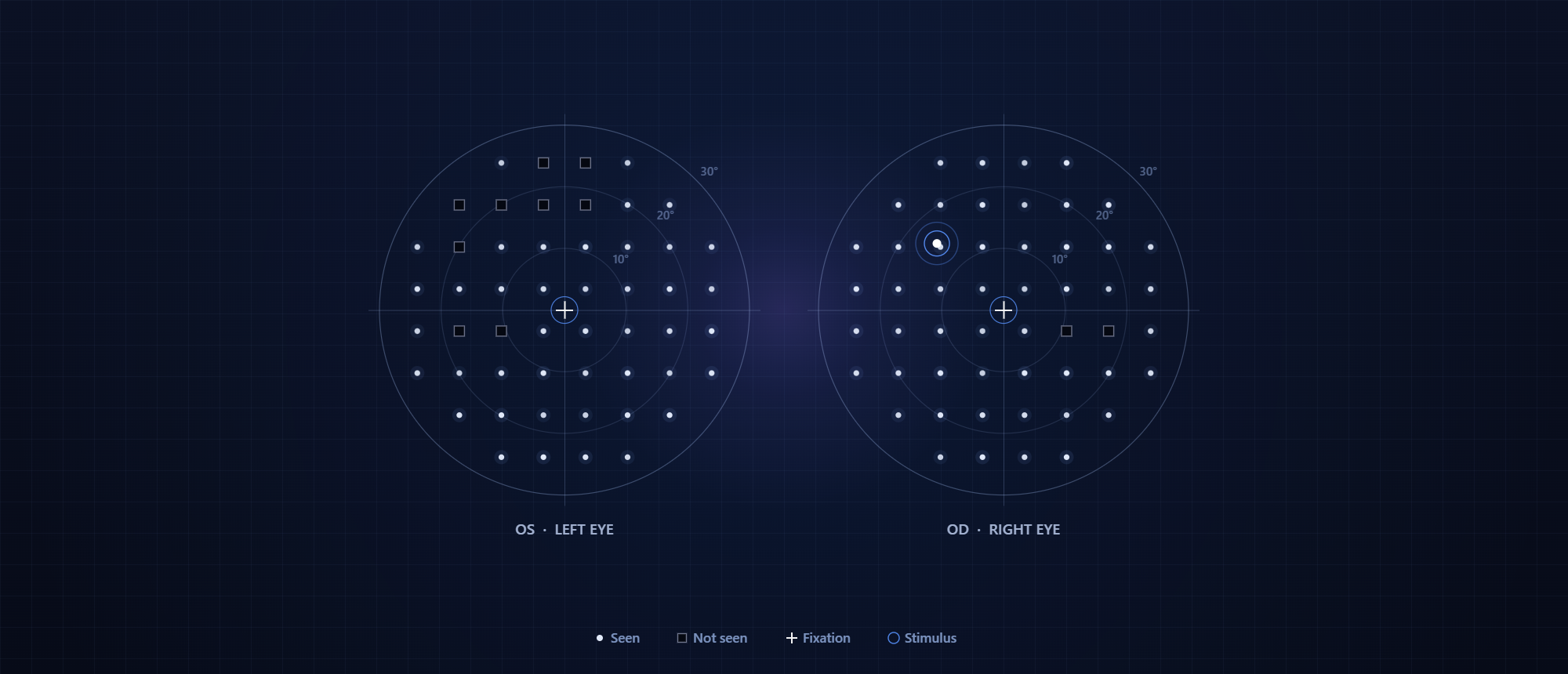
Stimuli are presented as Goldmann III targets at defined positions in visual degrees from fixation, with configurable luminance and duration. Every presented frame returns a microsecond timestamp, which allows each stimulus onset to be aligned precisely with the patient’s response and eye position.
val spec = StimulusSpec(
    type = StimulusType.GOLDMANN,
    x = 9.0f,           // Visual degrees from center
    y = -9.0f,          // Visual degrees from center
    sizeDeg = 0.43f,    // Goldmann III
    luminance = 200.0f, // cd/m²
    durationMs = 200
)
val handle: StimulusHandle = sdk.display.presentStimulus(spec)
5.3 Threshold Strategies Through OPI
The platform runs an Open Perimetry Interface (OPI) compliant server on the compute host. Research and product teams can run standard threshold algorithms, including ZEST, QUEST+, and 4-2 staircase, directly from R using the standard OPI package.
library(OPI)
chooseOPI("PhoneHMD")
opiInitialise(ip = "192.168.1.50", port = 50008)
opiSetup(lum = 318, bgLum = 10, fixType = "circle", fixLum = 20)
makeStimHelper <- function(x, y) {
  function(t) list(x = x, y = y, size = 0.43, lum = t, responseWindow = 1500)
}
res <- ZEST(makeStim = makeStimHelper(9, -9), tt = 30, fpr = 0.05, fnr = 0.05)
opiClose()
5.4 Fixation Monitoring
Binocular infrared eye cameras track gaze continuously during the test. Each trial is checked for central fixation at the moment of stimulus presentation, so every trial carries an objective fixation record and trials affected by eye movement can be identified directly from the data.
5.5 Response Capture
Patients acknowledge each seen stimulus with a handheld Bluetooth response controller. Timing jitter is held below 5 ms, which keeps response timing consistent across trials and across devices.
5.6 Session and Data Handling
Each test runs as a session bound to anonymized study and subject identifiers. Stimulus events, responses, and gaze data share a common timestamp base and are exported as structured session records in JSON or CSV. Privacy controls cover de-identification of eye images, metadata stripping, AES-256 encryption of exports, and tamper-evident audit logging.
5.7 Fleet Management
Every headset is enrolled in IntelliMDM, which applies consistent configuration and security policies across sites and delivers OTA updates. Software updates reach the full fleet remotely.
Engineering Challenges
1. Luminance consistency across units
Small differences in panel output and optics between headsets would shift threshold results from one device to the next. Per-device lookup tables generated from through-lens measurements correct these differences, so every unit presents the same stimulus intensity for the same decibel value.
2. Stimulus timing on a tethered compute host
Threshold accuracy depends on knowing exactly when each stimulus appeared. Microsecond frame presentation timestamps give the application a precise onset time for every stimulus, independent of rendering load on the compute host.
3. Fixation monitoring under perimetry lighting
Perimetry runs against a dim background, which limits visible light for eye tracking. Infrared illumination with adjustable power keeps the eye cameras reliable at low background luminance while leaving the visual stimulus unchanged.
4. Patient response timing
Off-the-shelf wireless input devices can introduce variable delays. A dedicated Bluetooth response controller holds timing jitter below 5 ms, so response timing stays consistent across tests and devices.
5. Power stability over the tether
The headset draws power from the compute host through a single USB-C cable. Voltage dip monitoring alerts the application to power instability before it can affect a test in progress.
6. Keeping validated configurations consistent in the field
A device that agrees with the clinical standard in a study must continue to behave the same way in every clinic. IntelliMDM enforces consistent configuration and policies across the fleet and controls how updates are rolled out.
7. Protecting patient data at the point of capture
Eye images and test results are sensitive clinical data. Privacy controls run on the device, covering de-identification, metadata stripping, encryption of exports, and audit logging before data leaves the headset.
Technical Takeaways
1. Calibration is the foundation of clinical acceptance
Agreement with an established standard depends on calibrated, reproducible luminance across every unit. A per-device lookup table and a standard decibel model let head-mounted results be reported on the same scale as bowl perimetry.
2. Objective fixation monitoring improves reliability
Eye tracking at the moment of stimulus presentation gives every trial a measurable reliability signal.
3. Shared timing ties the system together
A common microsecond timestamp across display, eye tracking, and response capture allows every event in a test to be reconstructed precisely.
4. Standard interfaces shorten the path to research
OPI support lets research teams run established threshold algorithms on the platform using tools they already work with.
5. Fleet management is part of the clinical system
Consistent configuration, security, and updates across sites are what allow a validated device to remain validated in daily use.
6. The same foundation extends to other vision diagnostics
The capabilities that support perimetry also support other applications on the platform, including pupillary light response testing, ocular surface imaging, and oculomotor assessment.
Develop vision diagnostics on the IntelliXR® platform. Book a demo or explore the IntelliXR® technical documentation.